Evadan 2.0, the most complete travel app to share your trip live with your loved ones

By Alexandre, fondateur d’Evadan
Published on
Reading time: 6 min
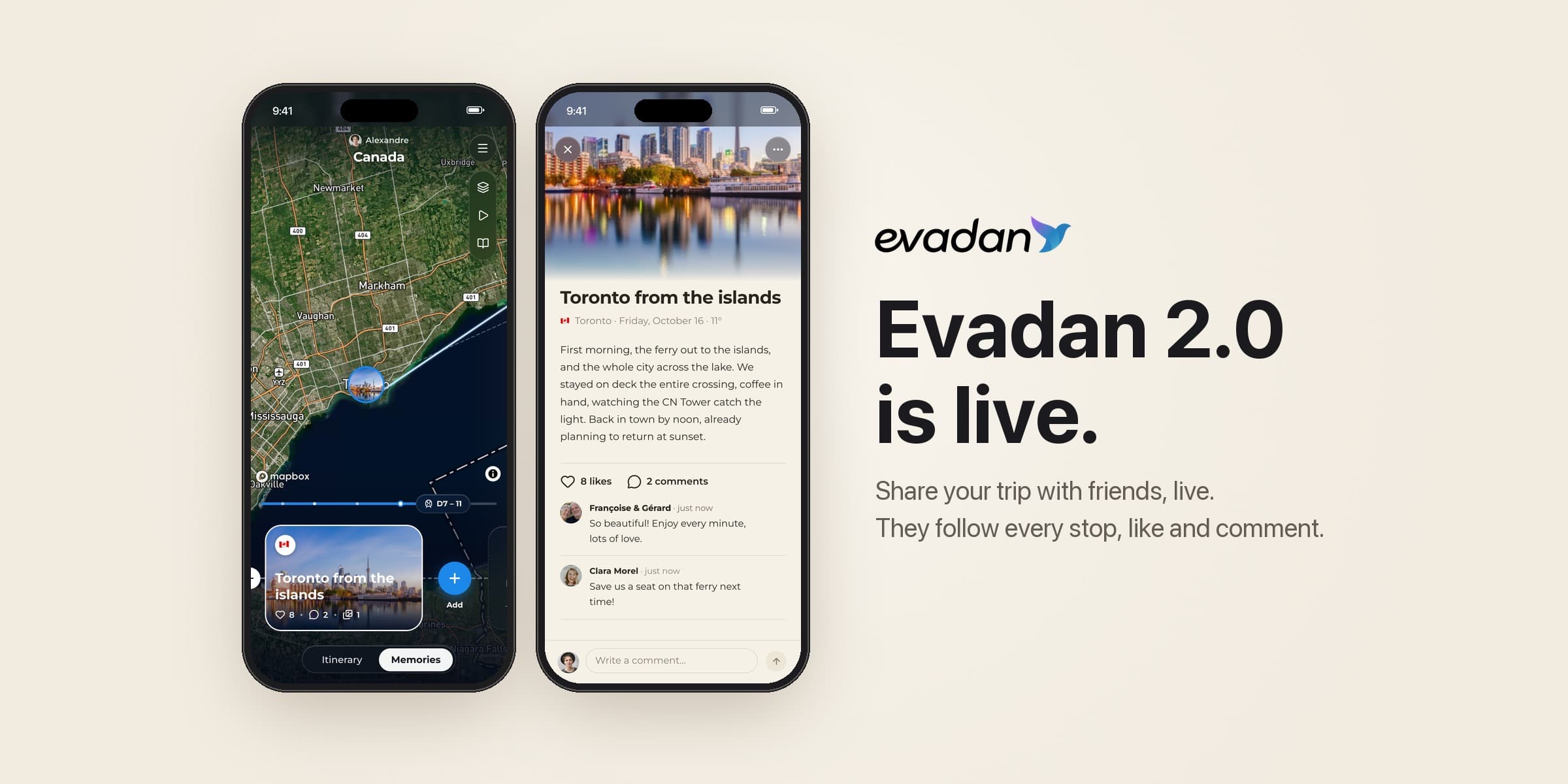
Live location, the trail of your route, memories posted at the right stop, likes and comments: what Evadan 2.0 changes on iPhone and Android, for you and for the people back home.
During a trip, the people back home always ask the same questions. Where are you? Is everything going well? Any photos?
Evadan 2.0 answers for you. The most complete travel app already planned your whole trip, from the itinerary to your tickets, from the budget to the hotel and the eSIM. With this version, available on iPhone and Android since October 20, it shares it too: your loved ones follow it live on the map, stop by stop, and reply along the way.
Here is what changes, in six points.
1. Your loved ones follow you live
In the trip map menu, tap “Share my location live”: your friends then see you on the map of your trip and on the globe of their Trips tab, under “Friends live”. Sharing can only be turned on during a trip in progress, nothing is sent before you agree, and it stops on its own when the trip ends.
On iPhone, your location updates even when the app is closed. On Android, it is sent each time you open the app, then every five minutes while it stays open.
Turn on sharing on departure day. As long as you are within 50 km of your departure city, nothing is shown: your friends see your trip, never your home.
2. The trail and the numbers of your trip
While you share, your route is drawn on the trip map, from one stop to the next. Under the trip name, one line sums it up: days, countries, kilometres, memories and photos. When there is a trail, the kilometres are the ones you actually travelled.
Points that are too imprecise are left out, and “Erase my trail” removes the route from the map, for you and for your friends. Your memories stay.
A trip lasting several months? Split it into several trips: when one ends, sharing carries on to the next one if it starts within three days, without asking you again.
3. Your memories, posted at the right stop
The trip map has two sides, Itinerary and Memories. As soon as you have been through a stop, “Tell Toronto” (or Kyoto, or El Nido) invites you to add a memory: a photo, a few lines, and it settles on the map, right where you lived it. The place and the day’s weather are added automatically.
Memories are unlimited, with up to 10 photos each, 30 with Evadan Prime. With Prime, “Write with Evadan AI” writes the text from your itinerary at that place, or tidies up the few words you typed, without lending you opinions you never gave.
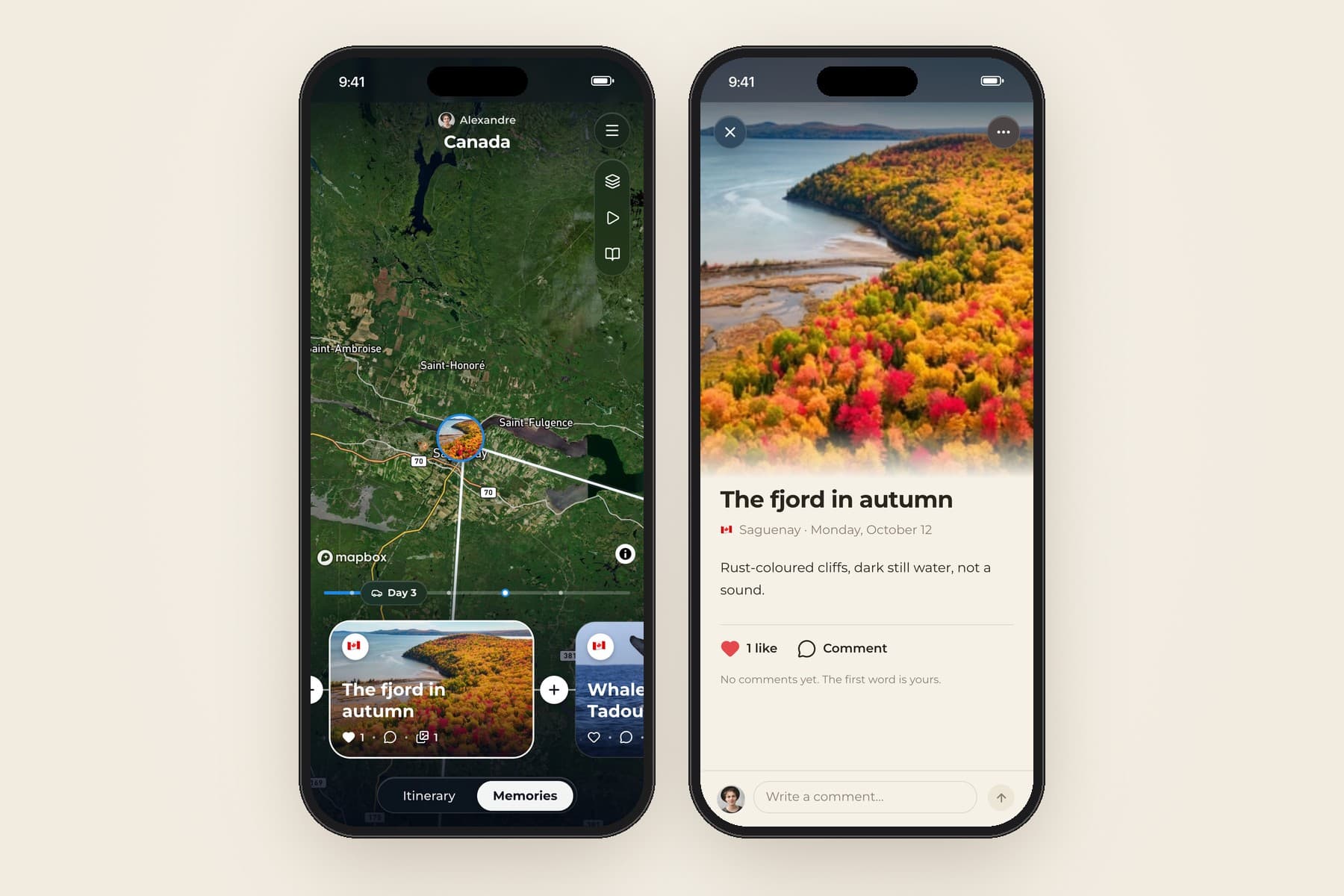
Post on the same evening. Words come more easily while it is fresh, and your loved ones read the memory while the trip is still happening.
4. Likes and comments: a community around your trip
When you post, your friends are notified. They like the memory, comment on it, and the conversation stays attached to the stop where it started.
For each trip, you choose who sees your memories: you and your travel companions, your friends (the default setting), or anyone signed in to Evadan. You stay in control of what is shown: a comment can be removed in one tap, by its author or by you.
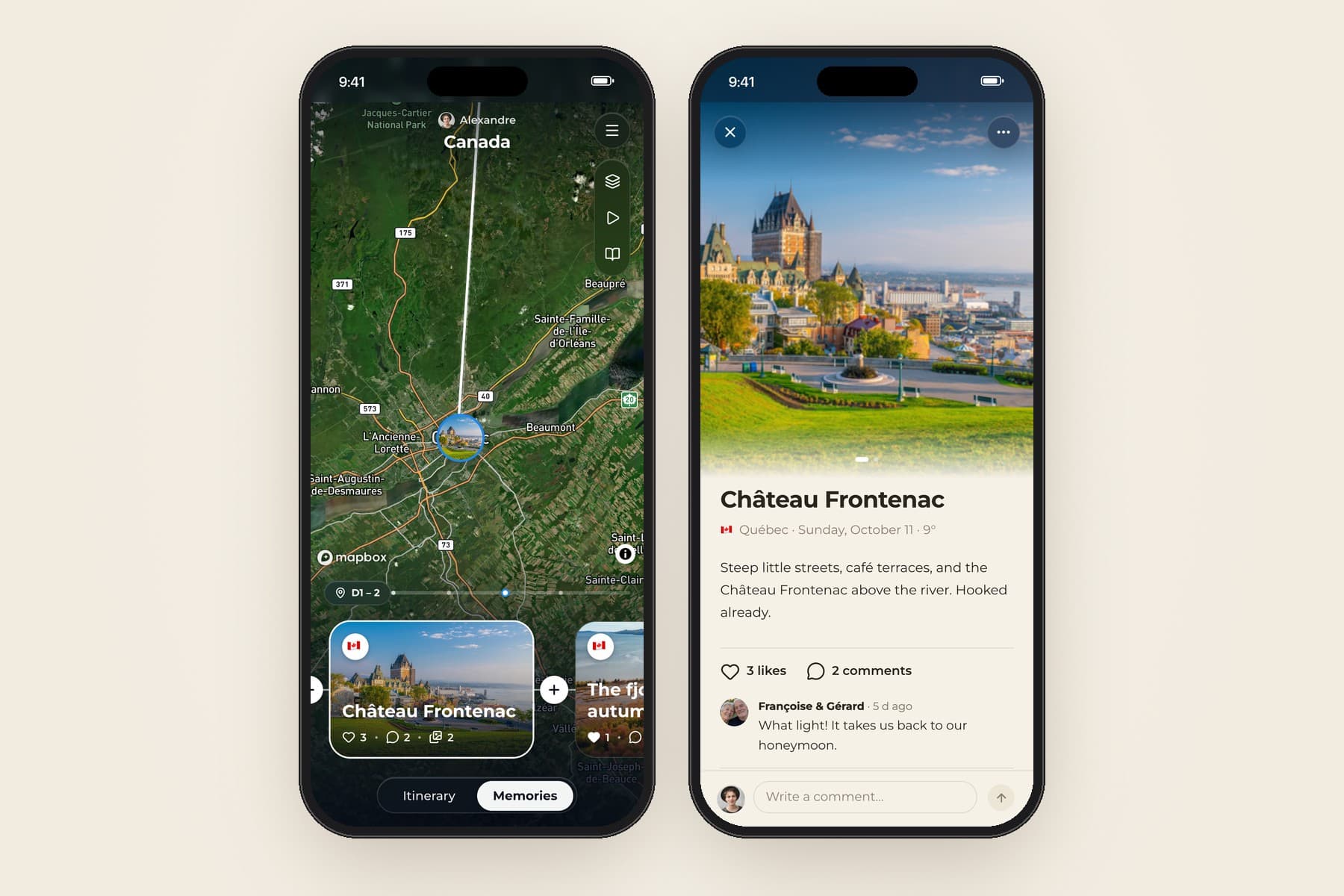
Set the audience before your first memory. It applies to the whole trip: a business trip stays among travel companions, a round-the-world trip is shared with all your friends.
5. A link to invite your loved ones, even without the app
The “Invite friends” button opens your phone’s share sheet with your follow link: send it by text, WhatsApp or email. On a phone with the app, the link opens it directly: the person joins your friends without a request to accept, and you are notified. Otherwise, the link page helps them install Evadan, or lets them follow you with one tap if they are already signed in on evadan.com.
Loved ones who are less at ease with apps have their own way in too: turn on “My trip visible on the web” in your profile, and they follow your trips from that same link, with no app and no account, with the map, your memories and your photos. As a precaution, the trail there leaves out your last six hours.
Each person who signs up through your link and creates their own trip earns you 50 Evadan points, up to five times a month.
Send the link before you leave. Your loved ones have time to install the app, and your first memory finds them ready.
6. Your friends’ world
The Friends screen has three tabs, Friends, Requests and Suggestions, where your travel companions come first, then friends of your friends. A ring around a photo signals a memory less than 24 hours old that you have not opened yet.
A friend’s profile opens full screen on the map of their memories, with the trips they told, their countries and their friends. And a globe compares your two worlds: your countries in blue, theirs in red, the ones you share in purple.
Compare your worlds before choosing your next destination. A country in red is one a friend knows and you don’t: they surely have an address to share.
What is free, and what Prime adds
Everything above is free, on iPhone and Android:
live sharing, the trail and the numbers of the trip;
unlimited memories, with 10 photos each;
likes, comments and your follow link;
friends, their profiles and the globe that compares your worlds.
With Evadan Prime, each memory can hold 30 photos, and “Write with Evadan AI” writes or tidies up its text. Discover Evadan Prime.
Frequently asked questions
Do my loved ones need to install the app?
Not necessarily. If you turn on “My trip visible on the web”, they follow your trips from your link, without an account. To see your live location, like and comment, they need the Evadan app, free on the App Store and Google Play.
Who sees my location?
Only your friends: people whose request you accepted, or who joined you through your link. They see it during the trip where you turned sharing on, never within 50 km of your departure city, and someone you have blocked sees nothing.
Does live sharing drain the battery?
As little as possible. Your location is taken at balanced accuracy, around 100 metres, using Wi-Fi and cell towers rather than GPS alone, with at most one point every 300 metres, sent in batches.
How do I stop sharing?
From the trip map menu, or from your profile. It also stops on its own when the trip ends.
Are my memories public?
No, unless you choose so. By default, only your travel companions and your friends see them, and the setting can be changed trip by trip.
Evadan 2.0 is available on the App Store and on Google Play. Update the app, send your link to the people back home, and take them along on your next trip.
Written by
Alexandre, fondateur d’Evadan
Alexandre has always planned his own trips, country by country, address by address. His Google Maps lists were shared by thousands of people: Evadan is the finished version.